Can I Replace My Old DVR with a TIGERSECU DVR and Keep My Cameras?

Often, yes. A compatible TIGERSECU DVR may let you keep working cameras and existing cables. The right replacement depends on your camera models, video output, cable condition, and power. Check these details before buying, even when the connectors fit.
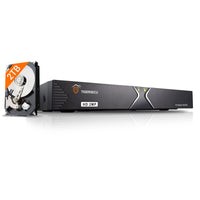
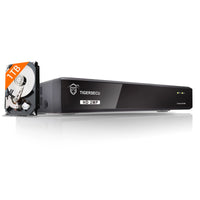
Replacing the recorder can be simpler than replacing your whole system. This guide focuses on TIGERSECU Super HD 1080P DVRs in the 302 series (4 and 8 channels) and 402 series (16 channels). Other TIGERSECU recorder families need their own compatibility check.
What these TIGERSECU DVRs support
The current 4-channel 1TB, 8-channel 1TB, and 16-channel 4TB models list support for compatible TVI, AHD, CVI, and CVBS/D1 analog cameras, including 1080P, 720P, and 5MP at up to 12.5 fps. They do not support SDI or 4K/8MP cameras. Some third-party “Lite” modes may not work.
These are model-specific starting points, not a promise that every camera with a matching resolution will work. Check the exact recorder listing and camera output together.
Start with the camera model, not just the brand
Find the model number on each camera’s label, in its manual, or in your original order details. Record the old DVR’s model too. If your cameras were purchased at different times, check each type separately.
One brand may sell several camera types. Compatibility with one model does not establish compatibility with the whole brand.
Check these six details before choosing a DVR
- Video format. Confirm the camera’s actual output is a format the chosen DVR accepts. A camera’s selected mode matters as much as its advertised options.
- Resolution and frame rate. Match the camera’s output resolution and frames per second, or fps, to the DVR’s supported camera inputs. A headline such as “5MP” does not tell you every supported mode. Also check recording specifications separately from camera input and monitor output.
- Connection type. Many analog CCTV cameras use coaxial cable with a round BNC connector. Standard PoE/IP cameras use network connections, commonly Ethernet with RJ45 connectors. A BNC connection alone does not establish camera-to-DVR compatibility.
- Power requirements. Check voltage, required current, polarity, and connector size against the camera’s documentation. Do not reuse a power adapter just because it fits. Use the new DVR’s supplied or manufacturer-approved adapter for the recorder.
- Exact model and selected mode. Some cameras offer multiple output modes. Confirm which one is active and whether the new recorder supports it. Only change modes using instructions for that camera; a switchable camera is not automatically compatible in every setting.
- Features you need to keep. Ask about audio, PTZ control, motion events, and other important functions separately. Getting a live picture does not prove that every feature from your old system will transfer.
The TIGERSECU DVR FAQ can help you identify the specifications to check.
Can the existing cables stay?
They may be reusable when you keep compatible cameras and the same type of video connection. Inspect accessible sections and connectors for damage, corrosion, loose connections, or signs of water exposure. Confirm that the cable type and length are suitable for the equipment you plan to use.
A combined video-and-power cable may have separate BNC video and DC power connectors at its ends. Check both connections. Do not assume that the DVR’s BNC video port supplies power to the camera.

If a camera already has intermittent video, wavy lines, or frequent dropouts, investigate before buying a recorder. Where practical, test with a known-good compatible cable and correctly rated power supply. A new DVR will not repair a damaged cable or fix an inadequate power source. See our camera troubleshooting FAQ for starting points.
What if the cameras are PoE or IP?
The TIGERSECU DVR models linked above support selected compatible IP cameras, depending on the DVR model, camera model, and video settings. They are not universal replacements for every IP or PoE recorder.
Important: their current product pages state that motion detection is not supported when using IP cameras. If motion-triggered recording is essential, confirm a suitable setup before purchasing. IP cameras also require the correct network connection and power arrangement; they do not connect to the analog BNC inputs. Ask support to verify your intended camera count, settings, and required features.
Confirm one camera before changing everything
Before disconnecting your system, label the cables and save any important recordings using the old recorder’s backup instructions, if it still works. Do not assume old recordings will be readable on a replacement.
Once compatibility is confirmed, test one camera with the new DVR first. Check daytime and nighttime video, then make a short recording and play it back. Verify any essential extra features before moving the remaining cameras over.
Not sure what you have? Email [email protected] with your camera model, old recorder model, and the TIGERSECU DVR you are considering. Clear photos of model labels and connectors can help. Cover serial numbers, device IDs, QR codes, and passwords before sharing photos. We can help check the available specifications before you decide what to replace.
Tags: